Best Open Source Android Apps You Should Install (2026)
The best open source Android apps prove you do not have to trade privacy for functionality. Their code is public, anyone can inspect what they do with your data, and most are completely free — no ads, no trackers, no premium tiers locking basic features behind a paywall. In many cases they are simply better than the big-brand alternatives they replace.
This guide rounds up the essential open source apps worth installing in 2026, grouped by what they replace: video, music, maps, passwords, email, files, and more. You will also learn where to download them safely, since most are not on the Google Play Store.
Where to Get Open Source Android Apps: F-Droid
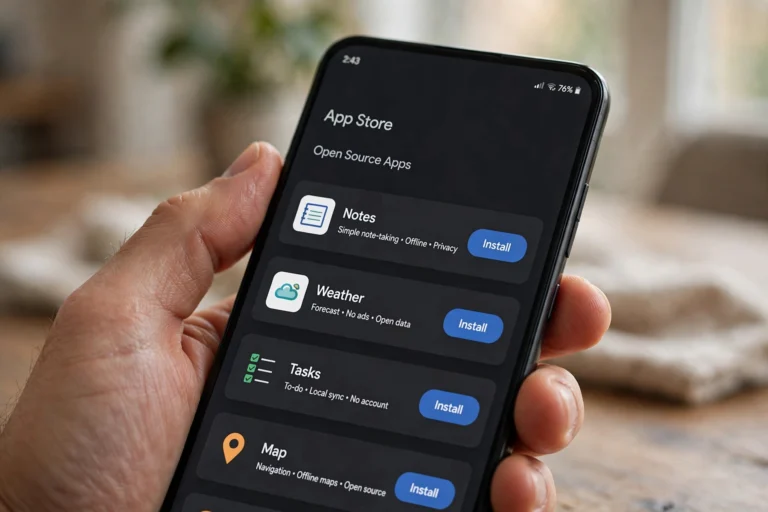
Most open source Android apps live on F-Droid, an alternative app store that only hosts free and open source software. Every app is built from published source code, so what you install matches what was audited. Download the F-Droid APK from f-droid.org, enable “install unknown apps” for your browser once, and you have a second app store that never tracks you.
Some of these apps are also on Google Play, but F-Droid versions are guaranteed tracker-free. When in doubt, install from F-Droid first.
Best Open Source Android Apps for Media and Entertainment
- NewPipe (YouTube alternative). Watch YouTube without ads, without an account, and with background play and downloads — all in a lightweight app a fraction of the size of the official one. Note: it is not on F-Droid’s main repo; add it from the developer’s own F-Droid repository or GitHub.
- VLC. The legendary media player handles every video and audio format you throw at it, plays files from your network, and has zero ads. The Android version is every bit as capable as the desktop classic.
- AntennaPod. A full-featured podcast player with automatic downloads, sleep timers, playback speed control, and OPML import. Clean, fast, and completely free — it rivals paid podcast apps.
- Aves / Aves Libre (gallery). A fast, beautiful photo gallery with map view, tags, and metadata editing — a worthy replacement for Google Photos’ local features without the cloud lock-in.
Best Open Source Android Apps for Privacy and Security
- Bitwarden. The password manager security experts actually recommend. Open source, audited, syncs across all your devices, and the free tier covers everything most people need. Generate strong passwords and autofill them everywhere.
- Aegis Authenticator. A clean two-factor authentication app for your 2FA codes, with encrypted backups you control. Replaces Google Authenticator with no account required and no cloud dependency.
- KeePassDX. If you prefer keeping passwords in a file you own rather than any cloud, KeePassDX opens standard KeePass databases with a polished interface. Pair it with Syncthing below to sync the file yourself.
- Signal. The gold standard for private messaging — end-to-end encrypted by default, open source, run by a nonprofit. If your conversations matter, this is where they should happen.
- Mull / Firefox (browser). For a de-Googled browsing experience, Mull (a hardened Firefox fork on F-Droid) blocks trackers aggressively. Standard Firefox with uBlock Origin is the easier on-ramp.
Top Open Source Apps for Productivity
- Joplin. A note-taking app with markdown support, end-to-end encrypted sync, and web clipping. Think Evernote without the subscription or the data harvesting.
- Thunderbird for Android (K-9 Mail). Mozilla’s open source email client handles multiple accounts, unified inboxes, and PGP encryption. A calm, powerful inbox without ads or “smart features” reading your mail.
- Tasks.org. A to-do list app with reminders, subtasks, locations, and optional sync. It turns a simple checklist into a genuine task manager.
- LibreOffice Viewer / Collabora Office. Open and edit Word, Excel, and PowerPoint files without a Microsoft account. Collabora adds full editing for when you need more than viewing.
Open Source Apps for Files, Maps, and Utilities
- Syncthing. Sync files between your phone, laptop, and desktop directly — no cloud server in the middle. Your photos, documents, and backups move peer-to-peer, encrypted in transit. It is the backbone of a de-Googled file setup.
- Organic Maps. Offline maps with hiking trails, cycling routes, and turn-by-turn navigation, all from OpenStreetMap data. Download whole regions and navigate with zero connection and zero tracking.
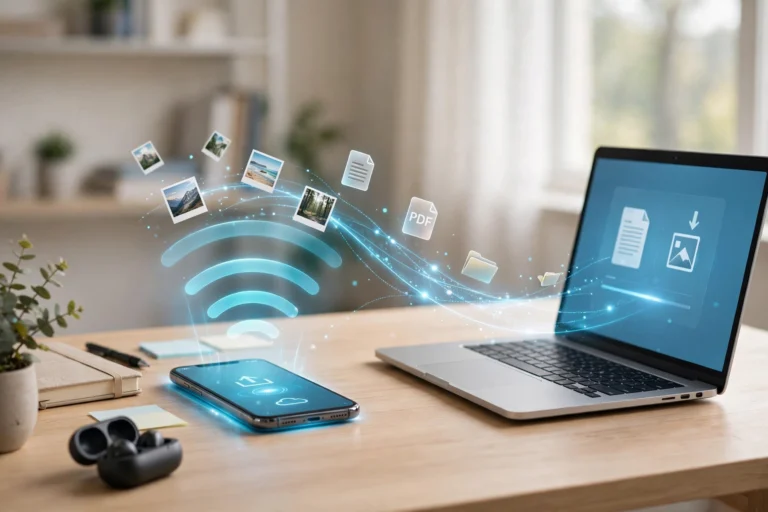
- LocalSend. Send files to nearby devices over Wi-Fi — the open source answer to AirDrop that works across Android, iOS, Windows, Mac, and Linux. No accounts, no internet needed.
- Termux. A full Linux terminal on your phone. Run Python, SSH into servers, and use real command-line tools. It is a niche superpower for developers and tinkerers.
- Simple Gallery / Fossify apps. The Fossify suite (formerly Simple Mobile Tools) offers ad-free, no-permission-hungry versions of the gallery, calendar, contacts, calculator, and file manager. Replace your phone’s stock bloatware one app at a time.
How to Switch Without Losing Your Data
Replacing apps is easy; migrating your stuff takes a little planning. Do it in this order:
- Export first. Google Takeout exports your photos, contacts, and calendar. Most services offer export in their settings — grab everything before you switch.
- Move passwords to Bitwarden. Import from your browser or old manager, then let Bitwarden generate new unique passwords over time.
- Set up Syncthing early. Once your devices sync directly, you stop depending on any cloud drive for day-to-day files.
- Keep one foot in both worlds. Run the open source app alongside the old one for a week. When you stop opening the old one, uninstall it.
- Back up Aegis and KeePass. Export encrypted backups of your 2FA codes and password database to a second device. Losing these locks you out of everything.

FAQ
Are open source Android apps safe to install?
Yes — arguably safer than average Play Store apps. The source code is public and auditable, F-Droid builds apps from that published code, and open source apps cannot hide trackers as easily. Stick to well-known apps with active development and large user bases.
Why are most of these not on the Google Play Store?
Some are, but many developers skip Play because of its fees, policies, and review delays — or because Google bans apps like ad-free YouTube clients. F-Droid exists precisely to distribute software that the Play Store will not or cannot carry.
Do open source apps drain battery or run worse?
Usually the opposite. Without ad SDKs, analytics trackers, and background data harvesting, open source apps tend to be smaller, faster, and lighter on battery than their commercial counterparts.
Can I still use Google services with these apps?
Yes. Going open source is a spectrum, not a cliff. You can run NewPipe and Bitwarden while keeping Gmail and Google Maps. Replace what bothers you most first; nobody requires a full de-Google on day one.
What if an open source app stops being updated?
Because the code is public, popular apps are frequently forked and continued by the community — AntennaPod and the Fossify suite are both continuations of earlier projects. Prefer apps with recent releases and active issue trackers to minimize this risk.
Conclusion
The best open source Android apps are not a compromise — they are an upgrade in privacy, performance, and respect for the user. Start with the heavy hitters: NewPipe for ad-free video, Bitwarden for passwords, Organic Maps for navigation, and Syncthing for your files. Install F-Droid once, and a whole ecosystem of tracker-free software opens up.
You do not have to replace everything overnight. Swap one app this week, live with it, and notice how little you miss the old one. A phone full of open source apps is quieter, faster, and finally working for you instead of for advertisers.