Best Mini PC for Self Hosting: 5 Picks Compared (2026)
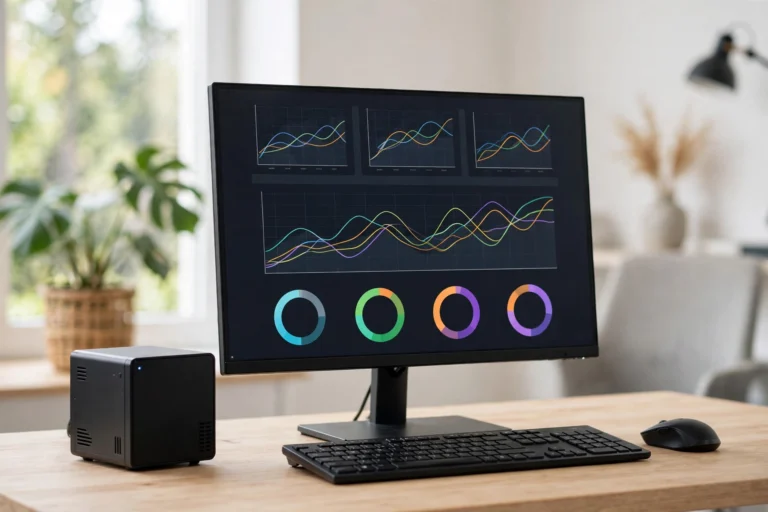
The best mini PC for self hosting is a small, quiet, power-sipping computer that runs your home server 24/7 without sounding like a jet engine or spiking your electric bill. Instead of renting a cloud server every month, you host your own services — a media server, file storage, home automation, a personal VPN — on a box the size of a paperback sitting on your shelf.
This guide compares five proven mini PCs for self hosting in 2026, explains which specs actually matter for a home server, and walks you through what to install first. Whether you want to run Plex, Nextcloud, Home Assistant, or a full Docker stack, one of these picks will fit your budget and your use case.
Best Mini PC for Self Hosting: What Actually Matters
Forget gaming benchmarks. A home server cares about a different set of priorities:
- Power efficiency. The box runs all day, every day. A 15-watt N-series chip costs a fraction of a 65-watt desktop CPU over a year.
- RAM and expandability. 16GB is the sweet spot for running several services at once. Two RAM slots let you upgrade later.
- Storage options. An M.2 slot for a fast system drive plus room for a 2.5-inch SSD or large HDD means your media library can grow.
- Network port. A 2.5-gigabit Ethernet port (2.5GbE) is now common and worth having for fast file transfers. Gigabit is the minimum.
- Noise and thermals. Fanless or near-silent cooling matters if the box lives in your living room or bedroom.
- CPU with Quick Sync (Intel). Intel’s built-in video encoding makes Plex and Jellyfin transcoding dramatically more efficient.
Best Mini PC for Self Hosting: 5 Picks Compared
These picks balance price, power efficiency, and real-world self hosting performance. Prices fluctuate, but the categories stay consistent year to year.
1. Beelink SER or EQR series (best all-rounder). Beelink’s Ryzen-based mini PCs pack serious multi-core power for the price, with 2.5GbE networking, dual M.2 slots, and up to 32GB of RAM support. Great if you plan to run a dozen Docker containers, a media server with transcoding, and a game server at the same time. Expect to pay more than the N-series boxes, but you get desktop-class headroom.
2. GMKtec N-series boxes (best value). GMKtec’s Intel N100/N150 models are the classic starter self hoster’s box: 6-watt idle power draw, silent-ish operation, 2.5GbE, and enough muscle for Nextcloud, Pi-hole, Home Assistant, and a light Plex setup. Often available under $200, they are the price-to-performance kings for beginners.
3. Minisforum UM series (best for heavy workloads). Minisforum targets power users with higher-end Ryzen chips, excellent cooling, and generous port selection including USB4. If you want to virtualize with Proxmox, run a Windows VM alongside Linux containers, or transcode multiple 4K streams, this is your tier. Costs more and draws more power, but replaces a full desktop.
4. Used Dell OptiPlex Micro / Lenovo ThinkCentre Tiny (best budget refurb). Businesses retire thousands of these every year, and they flood the refurbished market for $100-150 with an i5, 8-16GB of RAM, and rock-solid build quality. Add an SSD and you have a dependable server for almost nothing. The only catch: older models may lack 2.5GbE and sip a bit more power than N-series chips.
5. Fanless N-series mini PC (best silent option). Brands like Zotac ZBOX, MeLE, and Akasa-based builds offer fanless designs with zero moving parts. Perfect for a bedroom, studio apartment, or anywhere silence matters. Performance is modest — fine for file storage, DNS filtering, and home automation, but skip heavy transcoding.
Best Mini PC for Self Hosting: How Much RAM and Storage Do You Need?
Match the hardware to the workload, not the other way around:
- 8GB RAM is enough for 3-5 lightweight services: Pi-hole, a VPN, Home Assistant, a personal wiki.
- 16GB RAM is the sweet spot: Nextcloud, Plex or Jellyfin, a dozen Docker containers, and room to grow.
- 32GB RAM is for virtualization (Proxmox), game servers, or running everything at once without thinking about it.
- Storage: a 256-512GB NVMe drive for the operating system and apps, plus a 2-4TB drive for media. If you outgrow internal bays, a USB 3.2 external enclosure works fine for bulk media storage.
One rule of thumb: RAM is the resource self hosters run out of first, because every container wants a slice. If you are between two models, pick the one with more RAM headroom.
Mini PC vs Raspberry Pi vs Old Laptop
Three popular paths lead to a home server. Here is the honest comparison:
- Raspberry Pi: cheapest and tiniest, sips power, huge community. But ARM architecture means some software needs workarounds, and heavy tasks like video transcoding are painful. Best for light, always-on utilities.
- Old laptop: free if you already own one, includes a built-in battery (a free UPS). But aging batteries swell, cooling was designed for laps not 24/7 loads, and performance per watt is poor on old chips.
- Mini PC: x86 compatibility (everything just runs), modern efficient chips, proper Ethernet, designed to sit on a desk indefinitely. The small upfront cost buys you years of trouble-free service.

For most beginners, the mini PC is the right middle ground: cheap enough to start, powerful enough to grow into, and compatible with every tutorial you will find online.
Setting Up Your Mini PC as a Home Server
Once the box arrives, here is the straightforward path from unboxing to running services:
- Install your OS. Ubuntu Server LTS or Debian are the beginner-friendly standards. Want virtualization? Install Proxmox VE instead and run everything in VMs and containers.
- Set a static IP. Reserve an address in your router’s DHCP settings so you can always reach the server at the same address.
- Install Docker. Nearly every self hosted app ships as a Docker container. One install command gives you access to thousands of one-line deployments.
- Start with three services: Pi-hole (network-wide ad blocking), Nextcloud or Immich (your own cloud storage and photos), and Tailscale (secure remote access without opening router ports).
- Set up backups. A server holding your photos and files needs a backup plan from day one — an external drive with automatic snapshots is the minimum.
- Secure it. Disable password SSH logins in favor of keys, keep the OS updated automatically, and do not expose services to the internet until you understand reverse proxies.
FAQ
How much electricity does a mini PC server use?
A typical N-series mini PC idles around 6-10 watts and peaks near 25 watts under load. At average US electricity rates, that works out to roughly $1-3 per month — far less than a $5-10/month cloud VPS, and a fraction of an old desktop’s draw.
Can a mini PC run Plex with 4K transcoding?
Intel N-series and recent Core chips handle 4K transcoding well thanks to Quick Sync hardware encoding. Ryzen mini PCs can do it too, though less efficiently. For direct-play (no transcoding), even the cheapest mini PC streams 4K to multiple devices without breaking a sweat.
Do I need 2.5GbE networking?
Not strictly — gigabit Ethernet handles most home server tasks including 4K streaming. But 2.5GbE makes large file transfers noticeably faster, and many 2026 mini PCs include it at no extra cost. If your router and switch support it, it is a nice free upgrade.
Is it better to buy new or refurbished?
Refurbished business micro-PCs are the best value if your budget is under $150 and your needs are modest. Buy new if you want 2.5GbE, the latest efficient chips, a warranty, and maximum power savings — the electricity savings alone can close the price gap over a few years.
What should I self host first?
Start with Pi-hole for ad blocking (you will notice it working within minutes), then add Immich for photo backup or Nextcloud for file sync, and Tailscale so you can reach everything securely from your phone. Those three deliver the biggest quality-of-life wins for the least effort.
Conclusion
The best mini PC for self hosting is the one that matches your actual workload: a GMKtec N-series box or refurbished business micro-PC for beginners, a Beelink or Minisforum Ryzen machine if you want headroom for everything at once. Prioritize power efficiency, 16GB of RAM, and a 2.5GbE port, and you will have a server that pays for itself in a year.
Start small, run three services, and let your setup grow with your curiosity. That quiet little box on your shelf is the first step toward owning your data instead of renting it back from the cloud — and once you taste that independence, there is no going back.