Best ChatGPT Image Generation Prompts for Stunning Results (2026)
The best ChatGPT image generation prompts are not magic phrases — they are detailed descriptions that give the AI exactly what it needs: a clear subject, a defined style, specific lighting, a camera angle, and a mood. Most people type five words and get a bland image, then blame the tool. The difference between a generic picture and a jaw-dropping one is almost always the prompt, not the model.
ChatGPT’s built-in image generator (powered by GPT-Image technology) creates images from text descriptions inside the same chat you use for writing and coding. It is genuinely good — but only when you tell it enough. Below you will find a simple prompt formula, copy-paste examples for popular use cases, common mistakes, and tips for consistent results.
The Prompt Formula: Subject + Style + Details + Lighting + Angle
Every great prompt follows the same skeleton, even if you never write it out formally. Before typing, decide on these five building blocks:
- Subject: what is in the image, described concretely. Not “a dog” but “a golden retriever puppy sitting in tall grass”.
- Style: photorealistic, cinematic, watercolor, 3D render, anime, oil painting, vintage poster. Name it explicitly.
- Details: textures, colors, background elements, clothing, props. The more visual nouns, the richer the image.
- Lighting: golden hour, soft studio light, neon glow, dramatic side lighting, overcast daylight. Lighting sets the mood more than any other single word.
- Camera angle: close-up, wide shot, overhead view, eye-level, low angle. Borrow from photography and film vocabulary.
A weak prompt reads like this: “a coffee shop”. A strong one reads like this: “Photorealistic cozy coffee shop interior at golden hour, warm sunlight streaming through large windows, wooden tables with ceramic mugs, hanging plants, soft depth of field, wide-angle interior photography”. Same tool, completely different universe of results.
Best ChatGPT Image Generation Prompts for Photorealistic Photos
Photorealism is what most people want — images that could pass as real photographs. The trick is to speak like a photographer: name the camera, the lens, and the light. Copy, adapt, and reuse these:
- Portrait: “Photorealistic portrait of a smiling woman in her 30s with curly red hair, freckles, wearing a denim jacket, soft window light, shallow depth of field, shot on a 50mm lens, neutral gray background, professional headshot photography”
- Product shot: “Photorealistic product photo of a matte black wireless headphone floating on a white studio background, soft shadow beneath, crisp detail, commercial advertising photography”
- Food: “Photorealistic overhead shot of a rustic Italian pasta dish with fresh basil and parmesan, on a dark wooden table, warm side lighting, steam rising, food photography, shallow depth of field”
- Landscape: “Photorealistic mountain lake at sunrise, mist rising off the water, snow-capped peaks reflected perfectly, golden light on the treeline, wide-angle landscape photography, ultra detailed”
- Street scene: “Photorealistic rainy city street at night, reflections of neon signs on wet asphalt, a person with a red umbrella crossing, cinematic mood, shot on 35mm film, shallow depth of field”
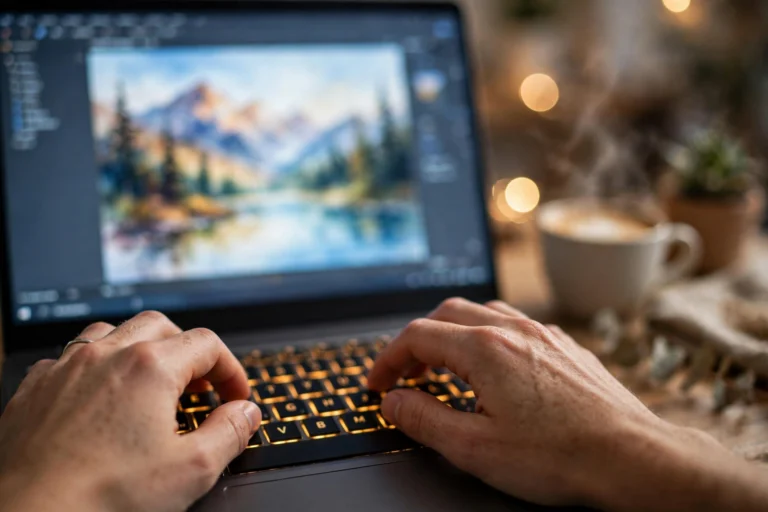
Notice the pattern: each prompt names the style (“photorealistic”) in the first word, stacks concrete visual details in the middle, and ends with a photography reference. That closing reference — “food photography”, “shot on 35mm film” — quietly teaches the AI which visual language to speak.
Best ChatGPT Image Generation Prompts for Illustrations and Art
For logos, thumbnails, book covers, and decoration, you want a stylized look. ChatGPT handles art styles well when you name both the style and the medium:
- Flat illustration: “Flat vector-style illustration of a person working at a standing desk with a laptop, plants and a window in the background, soft pastel colors, minimal details, clean modern tech illustration”
- Watercolor: “Watercolor painting of a lighthouse on a rocky cliff at dusk, soft washes of blue and orange, loose expressive brushstrokes, white paper texture showing through”
- YouTube thumbnail: “Bold YouTube thumbnail illustration, shocked man pointing at a glowing smartphone, dramatic blue and orange lighting, high contrast, exaggerated expression, simple clean background”
- Children’s book: “Whimsical children’s book illustration of a friendly fox wearing a tiny scarf walking through a snowy forest, soft rounded shapes, warm cozy colors, storybook style”
- Logo concept: “Minimalist logo design of a coffee cup formed by a single continuous line, monochrome, clean negative space, modern brand identity, on white background”
- Fantasy art: “Epic fantasy digital painting of a floating castle above the clouds at sunset, waterfalls pouring off the edges, tiny birds circling, rich detail, cinematic composition”
Prompts for Social Media, Business, and Everyday Use
Beyond art and photos, ChatGPT image generation shines at practical everyday tasks. These are the prompts people actually use week after week:
- Real estate style interior: “Bright modern living room interior, Scandinavian style, light wood floor, white sofa, large windows with daylight, houseplants, interior design photography, wide angle”
- Infographic style: “Clean infographic illustration showing the water cycle, sun, clouds, rain over mountains and a lake, arrows between stages, flat design, soft blue and green palette, educational poster style”
- Social post background: “Abstract gradient background, smooth flowing waves of purple and teal, soft light, minimal, premium tech aesthetic, wide banner format”
- Mockup scene: “Photorealistic smartphone lying on a marble desk next to a coffee cup and notebook, blank screen for mockup, soft morning light, shallow depth of field, top-down view”
- Seasonal decoration: “Cozy autumn illustration, pumpkin, falling orange leaves, warm cabin in the background, watercolor style, soft golden light, storybook feel”

Common Mistakes That Ruin Your Images
If your results keep disappointing you, it is probably one of these:
- Too few words. “A cat” gives the AI nothing to work with. Aim for 30-80 words of visual description.
- No style named. Without “photorealistic” or a style word, the output drifts between photo and cartoon. State the style first.
- Contradictory details. “Sunny night scene” confuses the model. Keep the scene physically consistent.
- Too many subjects. “A dog, a cat, a bird, and a horse playing poker” usually yields a mess. One clear hero subject wins.
- Asking for real people or brands. Requests for celebrities, logos of real companies, or copyrighted characters get refused or distorted. Describe an original alternative instead.
- Giving up after one try. The first generation is a draft. Regenerate, tweak one detail, or ask ChatGPT to “make it warmer” or “zoom in closer” — iteration is where the magic happens.
Tips for Consistent, Professional Results
Once you have a prompt you love, these habits keep your whole set of images looking like they belong together:
- Build a style block. Save a reusable tail like “, soft studio lighting, shallow depth of field, professional photography” and append it to every prompt in a project.
- Ask ChatGPT to improve your prompt first. Type your rough idea, then ask: “Rewrite this as a detailed image prompt.” The model is excellent at expanding thin descriptions.
- Reference a previous image. Ask for “the same character and style as the previous image, but now riding a bicycle” to keep a series consistent.
- Specify aspect and framing. Add “wide banner format”, “square format”, or “vertical portrait format” to match where the image will live.
- Control the mood with one word. Swapping “cheerful” for “moody” or “nostalgic” recolors the whole image without rewriting anything.
- Generate variations. Ask for “three variations of this scene with different lighting” and pick the best instead of settling for the first.

FAQ
How long should a ChatGPT image prompt be?
Aim for 30 to 80 words. That is enough for a subject, style, details, lighting, and camera angle. Shorter than 15 words usually gives generic results; longer than 150 words can make the model lose track of priorities.
Can ChatGPT generate images with text in them?
It can attempt short text like a book title or a sign, but letters often come out misspelled or warped. For reliable text, generate the image without words and add typography in Canva, Photoshop, or any editor afterward.
Why do my people look weird or deformed?
Hands, faces in crowds, and complex poses are still the hardest parts. Simplify the pose, reduce the number of people, zoom in on one subject, and add “anatomically correct, natural hands” to the prompt — it genuinely helps.
Can I use ChatGPT-generated images commercially?
Under OpenAI’s current terms, you generally own the images you create and may use them commercially, but check the latest usage policy for your plan. Avoid generating anything resembling real people, trademarks, or copyrighted characters for business use.
How do I get the same style across many images?
Reuse an identical style block at the end of every prompt, generate in the same chat thread, and reference earlier images (“same style as the previous image”). That combination keeps characters, colors, and mood consistent across a series.
Conclusion
The best ChatGPT image generation prompts follow one simple recipe: name the subject clearly, declare the style, stack concrete visual details, describe the light, and pick a camera angle. Start with the copy-paste examples above, adapt them to your idea, and iterate instead of settling for the first draft.
Remember that prompting is a skill that compounds. Every image you generate teaches you which words move the needle. Save the prompts that work, build your own style blocks, and within a few weeks you will be producing images that look like they came from a professional shoot — all from a text box.