What Is ACR on a Smart TV and Should I Turn It Off? (2026)
what is acr on a smart tv and should i turn it off? ACR stands for Automatic Content Recognition — the technology that lets your smart TV identify everything you watch and report it back to the manufacturer. Yes, you should almost certainly turn it off. It offers you almost nothing in return for a detailed log of your viewing habits, and disabling it takes about a minute.
This guide explains what ACR actually does behind the scenes, why TV makers are so eager to keep it on, the privacy trade-off in plain terms, the rare cases where keeping it on makes sense, and the exact menu paths to disable it on Samsung, LG, Vizio, TCL, Sony, and Fire TV models.
What ACR on a Smart TV Actually Does
Automatic Content Recognition is a tracking technology built into nearly every smart TV sold in the last decade. Here is how it works:
- It fingerprints what is on screen. Every few seconds, the TV captures tiny samples of the pixels and audio — not full recordings, but digital fingerprints — and compares them against a massive database of shows, movies, ads, and even video games.
- It identifies everything you watch. Whether the content comes from Netflix, cable, a Blu-ray player, or a game console plugged into HDMI, ACR can recognize it. That last part surprises people: it watches the HDMI inputs too, not just the built-in apps.
- It builds a viewing profile. Over weeks and months, the TV assembles a detailed picture of your habits: what you watch, when, for how long, and which ads you saw. This profile is tied to your TV’s advertising ID.
- It phones home. The viewing data is sent to the manufacturer — and often to third-party data companies like Samba TV or Inscape (Vizio’s data arm) — usually over your internet connection in the background.
ACR is not a bug or a hack. It is a deliberate, designed-in feature, buried in settings menus with innocent-sounding names like “Viewing Information Services,” “Live Plus,” or “Smart TV Experience.” Most owners never know it is running.
Why Manufacturers Want ACR Left On
There is a reason budget TVs are so cheap: the hardware is often sold near cost, and the real money is in your data. ACR viewing data is genuinely valuable:
- Targeted advertising. Your viewing profile lets advertisers target your household with scary precision — and lets the TV maker sell that targeting at a premium.
- Content recommendations. The one consumer-facing benefit: “because you watched” rows powered by your actual habits rather than guesses.
- Audience measurement. Networks and studios buy aggregated viewing data as a supplement — or alternative — to traditional ratings.
- Ad verification. ACR can confirm which ads actually appeared on your screen, which is worth real money to the advertising industry.
None of this is illegal, and it is technically disclosed in the privacy policy almost nobody reads during setup. But “disclosed” and “understood” are very different things, which brings us to the real question.
Should You Turn Off ACR? The Privacy Case
For most people, the answer is yes — turn it off. Here is the honest cost-benefit breakdown:
- What you lose: almost nothing. The main casualty is slightly less personalized recommendations on the TV’s home screen. If you primarily use a streaming stick, game console, or cable box, you will not notice any difference at all.
- What you gain: real privacy. Disabling ACR stops the continuous log of everything displayed on your TV — including content from HDMI devices you assumed were private, like a Blu-ray collection or a work laptop.
- It can slightly improve performance. ACR runs constantly in the background. On slower budget TVs, turning it off can make menus feel a touch snappier.
- The data sharing is broader than it sounds. Viewing data does not just sit with the manufacturer; it flows to data brokers and ad-tech partners under contracts you will never see.
“Your TV should not need to know what you watch on a Blu-ray player you bought in 2015. Turning off ACR draws a clean line: the TV displays content, it does not report on it.”
The one exception: if you genuinely love the personalized recommendations on your TV’s home screen and do not mind the trade, leaving it on is a legitimate choice. Just make it an informed one.
How to Turn Off ACR on Major TV Brands
Manufacturers hide these toggles under different names. Here are the exact paths for the most common brands — grab your remote and follow along:
- Samsung: Settings > General & Privacy > Terms & Privacy > Viewing Information Services — turn it Off. Also disable Interest-Based Advertisements on the same screen.
- LG: Settings > General > System > Additional Settings > Live Plus — turn it Off. Also check Advertisement > Limit AD Tracking.
- Vizio: Menu > System > Reset & Admin > Viewing Data — turn it Off.
- TCL / Roku TV: Settings > Privacy > Smart TV Experience > Use Information for TV Inputs — uncheck it. Also disable advertising personalization under the same Privacy menu.
- Sony (Android/Google TV): Settings > Device Preferences > Samba Interactive TV — disable it. (Not present on all models.)
- Amazon Fire TV: Settings > Preferences > Privacy Settings > turn off Device Usage Data and Collect App Usage Data, and disable Interest-Based Ads.

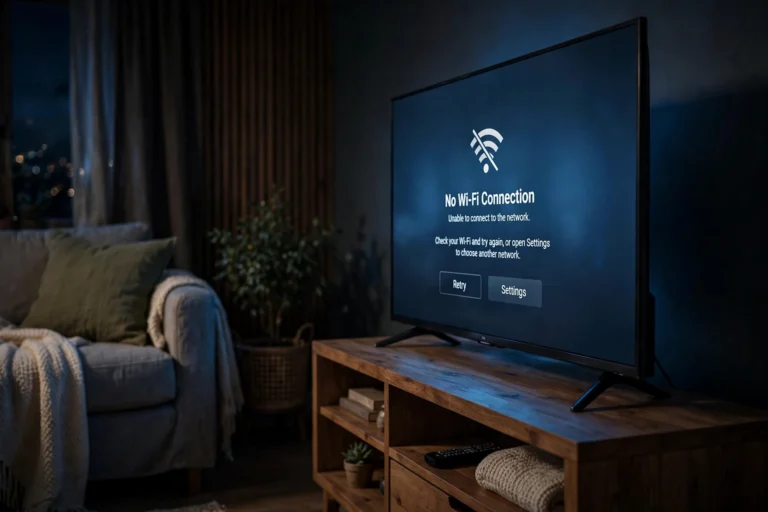
After disabling ACR, consider two bonus steps: do not connect the TV to Wi-Fi at all if you only use external devices (a disconnected TV cannot phone home), and review these settings again after major software updates, which occasionally re-enable them.
What Else to Lock Down on a New Smart TV
ACR is the biggest tracker, but it is not the only one. While you are in the privacy menus, handle these too:
- Voice assistant data. If you never use the microphone button, disable voice data collection in the privacy settings — and consider not agreeing to the voice terms at all.
- Advertising ID. Every brand lets you limit ad tracking or reset the advertising ID. Turn on the limit; it reduces how precisely your household can be profiled.
- Automatic software updates. Keep these on for security, but know that updates can reset privacy toggles — recheck ACR after any big update.
- Unused terms and conditions. During setup, you can usually decline optional agreements (viewing data, voice, interest-based ads) while accepting only what is required for the TV to function.

FAQ
Will turning off ACR break any features I use?
Almost certainly not. Streaming apps, HDMI inputs, and game consoles all work identically. The only things that change are personalized recommendations on the TV’s home screen and targeted ads in the TV’s own interface.
Does ACR record my conversations or watch me through the camera?
No — ACR fingerprints on-screen content and audio from what is playing, not your room. (That said, if your TV has a camera or far-field microphones, review those privacy settings separately — that is a different system from ACR.)
Can I turn ACR back on later?
Yes. Every toggle listed above is reversible — just revisit the same menu. Nothing is permanently lost by experimenting.
Does using a Fire Stick or Apple TV avoid ACR tracking?
Only partially. An external device keeps its own data to itself, but the TV’s ACR can still fingerprint whatever appears on screen — including your streaming stick’s output. Turning off the TV’s ACR is what closes that loop.
Is ACR the reason my TV shows ads on the home screen?
Partly. Home-screen ads come from the TV’s ad platform, and ACR data makes those ads more valuable by targeting them to your viewing profile. Disabling ACR will not remove the ads, but it stops them from being personalized with your watch history.
Conclusion
what is acr on a smart tv and should i turn it off — now you know both halves. ACR is the always-on system that identifies everything on your screen and reports your viewing habits to manufacturers and data companies, and for the vast majority of owners, turning it off is the right call. You lose a little recommendation personalization and gain meaningful privacy.
It takes about a minute with the menu paths above, and it is worth doing on every smart TV in the house — including the bedroom one everyone forgets about. Your TV’s job is to display what you choose to watch, not to keep a diary of it.