What Is a VPN and Do I Need One? Explained (2026)
“What is a VPN and do I need one” is one of the most searched tech questions of 2026 — and the ads make VPNs sound like magic shields against every online threat. The truth is simpler: a VPN encrypts your internet traffic and hides your real location from the websites and networks you use. It is powerful in the right situations and pointless in others.
This guide explains what a VPN actually does in plain English and helps you decide honestly whether you need one — without the marketing hype.
What Is a VPN? (The Simple Explanation)
VPN stands for Virtual Private Network. Normally, your internet traffic travels from your device to your internet provider (ISP) and then to the website, completely visible to anyone in the middle. A VPN changes that path: it wraps your traffic in encryption and routes it through a private server run by the VPN company before it reaches the website.
Think of it like mailing a letter in a tamper-proof envelope forwarded through a friend’s address: nobody along the way can read it, and the recipient only sees your friend’s address.
How a VPN Works (Step by Step)
Here is what happens behind the scenes when you connect:
- You tap “Connect.” Your VPN app links to one of the company’s servers — in your own country or across the world.
- An encrypted tunnel forms. All your internet traffic travels inside this tunnel using strong encryption (typically AES-256, the bank-grade standard). Snoopers see only scrambled data.
- Your IP address changes. Websites, apps, and trackers now see the VPN server’s IP address instead of yours. Your real location and identity are hidden from them.
- Your ISP is locked out. Your internet provider can see that you are using a VPN, but it can no longer see which websites you visit or what you do on them.

What a VPN Does for You: 5 Real Benefits
1. Protects You on Public WiFi
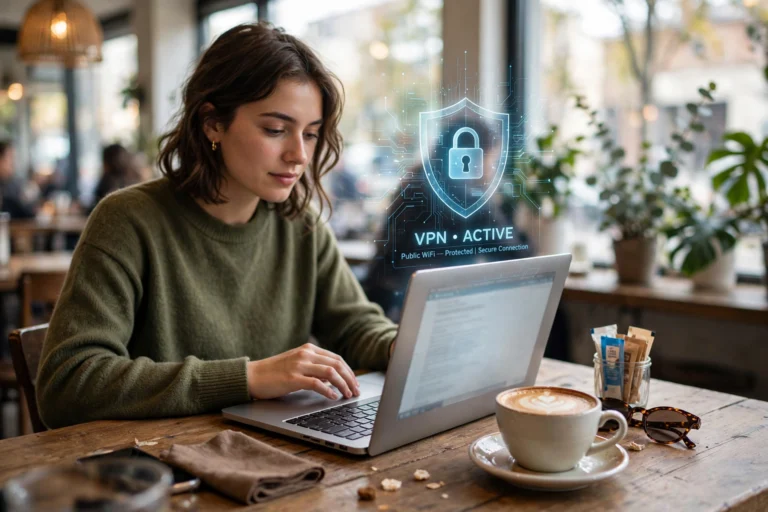
Coffee shops, airports, hotels, and malls often run unsecured WiFi networks. On an unprotected network, an attacker on the same WiFi can potentially intercept your traffic. A VPN encrypts everything, making public WiFi dramatically safer — especially if you check email or banking on the go.
2. Hides Your Browsing From Your ISP
In many countries, ISPs log your browsing history and may sell or share that data with advertisers. Some also slow down (throttle) specific activities like video streaming. A VPN prevents your ISP from seeing what you do online, so it cannot profile or throttle you based on your activity.
3. Lets You Access Region-Restricted Content
Many streaming services, news sites, and apps show different content — or different prices — depending on your country. Connecting to a VPN server in another country lets you access that country’s version of a site, which can unlock shows, articles, or deals not available where you live.
4. Masks Your IP Address From Websites and Trackers
Every site you visit logs your IP address, which reveals your approximate location and can be combined with other data to track you across the web. A VPN replaces your real IP with the server’s, making this tracking much harder.
5. Helps in Countries With Heavy Censorship
In regions where governments block news sites, social networks, or messaging apps, a VPN is often the only way to access the open internet. If you travel to such countries, it is essentially a must-have.
Do I Need a VPN? 5 Signs You Do
Be honest with yourself — if two or more of these apply, a VPN is worth your money:
- You use public WiFi regularly. Cafes, coworking spaces, airports, hotels — if you connect on the go, a VPN is the single biggest safety upgrade you can make. (Also see our guide on fixing slow WiFi.)
- You care about privacy from your ISP or advertisers. If the idea of your provider logging every site you visit bothers you, a VPN solves it directly.
- You stream or shop across regions. Expats, travelers, and bargain hunters who want access to other countries’ libraries and prices get real value here.
- You travel to countries with internet restrictions. Journalists, remote workers, and frequent flyers visiting restrictive regions should not travel without one.
- You work remotely on sensitive data. If you handle client information, financial data, or company files from home or on the road, the extra layer of encryption is cheap insurance.
What a VPN Does NOT Do (Honest Limitations)
A VPN is not a magic shield. It does not protect you from:
- Malware and viruses. A VPN encrypts your traffic, but it cannot stop you from downloading a malicious file or clicking a phishing link.
- Tracking by logged-in accounts. If you are logged into Google, Facebook, or Instagram, they know exactly who you are — VPN or not. Your VPN hides your location, not your account identity.
- Phishing and scams. A fake bank email is just as dangerous on a VPN. Encryption protects the pipe, not the content you choose to trust.
- Speeding up a slow connection. VPNs usually slow your connection slightly (5–20%) because of the encryption and the extra hop through the server. They cannot reverse slow internet.
Bottom line: a VPN is one layer of security, not the whole system. Pair it with updated software, strong passwords, and a healthy dose of skepticism.
How to Set Up a VPN in 4 Steps
Getting started takes about five minutes. Here is the whole process:
Step 1: Choose a Reputable Paid VPN
Pick a well-reviewed paid provider with a strict no-logs policy, servers in the countries you need, and apps for your devices. Avoid random free VPNs from app stores — many make money by logging and selling your data, which defeats the entire purpose.
Step 2: Download and Install the App
Install the VPN app only from the provider’s official website or your device’s official app store. Sign in with the account you created during purchase.
Step 3: Connect to a Server
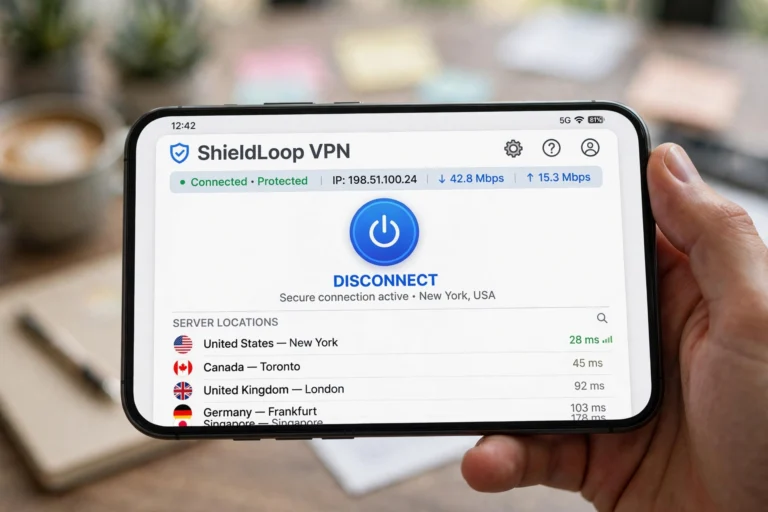
Open the app and tap the big connect button — most apps pick the fastest nearby server automatically. To appear in another country, open the server list and choose the country you want.
Step 4: Verify It Is Working
Visit whatismyipaddress.com before and after connecting. After connecting, the IP address and location shown should match your VPN server — not your real address.
Quick check: Search “what is my IP” with the VPN off, note the location. Turn the VPN on, connect to a different country, and search again — the location should change. If it does not, try a different server or contact your provider’s support.
Free vs Paid VPNs: Is Free Ever Worth It?
This is where most people go wrong. Running VPN servers costs real money, so ask yourself: how is this free service paying for itself?
- Free VPNs often: cap your speed and data, show ads — and worst of all, some log your activity and sell it to advertisers.
- Paid VPNs typically: offer unlimited data, faster speeds, thousands of servers, audited no-logs policies, and apps for all your devices.
- The one exception: a few reputable providers offer a limited free tier as a trial of their paid service — safe but usually capped at a few GB per month.
Rule of thumb: if a VPN is your privacy tool, do not trust it to a company whose business model is a mystery. A quality paid VPN costs about the same as a streaming subscription.
How Much Does a VPN Cost in 2026?
VPN pricing is predictable and most providers follow the same pattern:
- Monthly plan: $10–$13/month — flexible but expensive long-term.
- 1-year plan: $4–$6/month — the sweet spot for most people.
- 2-year plan: $2–$4/month — cheapest per month, but you pay upfront.
Most top providers also offer a 30-day money-back guarantee, so you can test one risk-free. One subscription usually covers 5–10 devices at once — enough for a whole household. Watch out for aggressive “90% off” marketing: compare the renewal price, not the first-year deal price.
Conclusion
So — what is a VPN, and do you need one? A VPN encrypts your internet traffic and hides your location by routing it through a private server. Get one if you regularly use public WiFi, want to keep your browsing private from your ISP and trackers, access region-locked content, travel to restrictive countries, or handle sensitive work remotely. For a few dollars a month, it remains one of the simplest privacy upgrades available in 2026.
FAQ
Does a VPN slow down my internet?
Slightly — usually 5–20% — because encryption takes work and your traffic takes an extra hop through the VPN server. With a quality provider and a nearby server, most people never notice. If your speed drops dramatically, switch to a closer server or try the WireGuard protocol, which is typically the fastest.
Is using a VPN legal?
Yes, in most countries including the US, UK, Canada, Australia, and most of Europe. A few countries (such as China, Russia, and Iran) restrict or ban VPN use. A VPN does not make illegal activity legal — it is a privacy tool, not a get-out-of-jail card.
Do I need a VPN on my phone or just my computer?
Both, ideally. Phones actually need VPNs more than computers because they connect to public WiFi, mobile networks, and location-tracked apps far more often. Every major VPN provider offers apps for iOS and Android, and one subscription usually covers all your devices at once.