Best Free AI Tools (2026)
Best free AI tools are no longer just watered-down demos — in 2026, you can write, design, edit video, and research entirely with tools that cost nothing and don’t even ask for a credit card. The catch is knowing which free tools are genuinely useful and which are traps that give you three generations and then demand payment. This guide cuts through the noise with the free AI tools actually worth your time, what each one does best, and how to use them without spending a dollar.
Every tool below has a genuinely usable free tier as of 2026. I’ve grouped them by job — writing, images, video, productivity, and research — so you can jump straight to what you need.
The Best Free AI Tools for Writing and Ideas
Writing assistants are where free AI delivers the most value, because the free tiers of the big models are surprisingly generous.
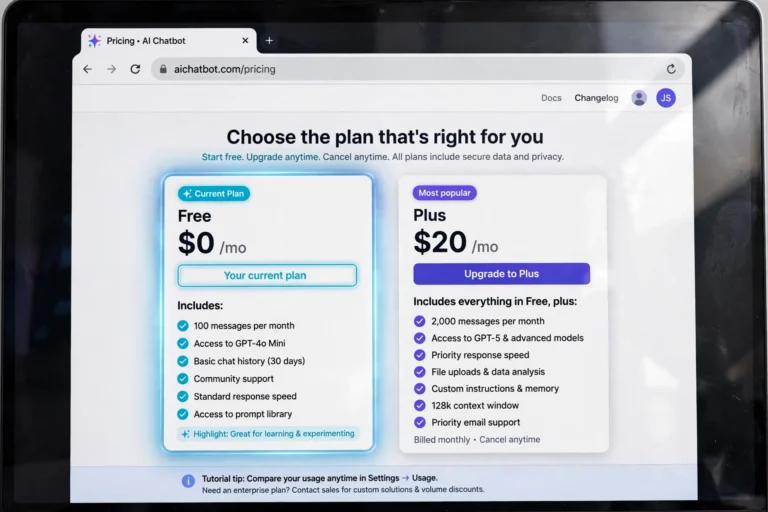
- ChatGPT (free tier). The free plan gives you access to a capable model with a large daily message allowance, image uploads, and web browsing. It handles drafting emails, brainstorming, summarizing articles, and rewriting text. Perfect as your general-purpose assistant.
- Google Gemini. Free with any Google account and deeply integrated with Gmail, Docs, and Drive. If you live in Google Workspace, Gemini’s free tier is often more convenient than ChatGPT — it can summarize your inbox or draft documents where you already work.
- Claude (free tier). Anthropic’s free plan has lower daily limits than ChatGPT, but the writing quality — especially for longer, more thoughtful pieces — is exceptional. Great for essays, scripts, and anything where tone matters.
- Grammarly. The free version fixes grammar, spelling, and punctuation in real time across your browser and apps. It’s not a full AI writer, but it makes everything you write look professional.
A practical tip: don’t marry one assistant. Use ChatGPT or Gemini for speed and Claude when quality matters more than volume.
The Best Free AI Tools for Images and Design
AI image generation used to be the most paywalled category, but the free options in 2026 are strong enough for social posts, thumbnails, and personal projects.
- Microsoft Designer (Image Creator). Powered by DALL-E, free with a Microsoft account, and generous with daily boosts. This is the easiest way for a beginner to make decent AI images with zero learning curve.
- Leonardo AI. The free tier gives you a daily token allowance that covers real work — social graphics, concept art, and stylized illustrations. The preset art styles mean you don’t need to learn prompt engineering to get good results.
- Canva Magic Studio. Canva’s free plan now includes a limited but useful set of AI tools: Magic Write, background remover, and text-to-image, all inside the editor you may already use for designs.
- Adobe Express (free). Adobe’s free tier includes Firefly-powered text-to-image generation. The output is safe for commercial use, which matters if you’re making content for a side business.
Free AI Tools for Video and Audio
Video and audio AI tools are heavier to run, so free tiers come with watermarks or limits — but the following are still genuinely usable.
- CapCut. Free auto-captions, text-to-speech voices, background removal, and AI script assistance. For TikTok, Reels, and Shorts creators, CapCut’s free tier replaces several paid tools.
- ElevenLabs (free tier). Around 10,000 characters a month of remarkably natural AI voiceover. Ideal for testing voiceovers for videos before committing to a paid plan.
- Suno (free tier). Generates full songs with vocals from a text description. The free credits refresh regularly — plenty for experimenting with music for personal projects.
- Runway (free tier). A small monthly credit of text-to-video and image-to-video generation. Enough to learn the workflow and make a few clips.
Free AI Tools for Research and Productivity
These are the quiet workhorses — tools that save time on information gathering and organization.
- Perplexity (free tier). An AI search engine that answers questions with cited sources. It replaces a lot of “open 12 tabs” research and the free tier is generous for daily use.
- Notion AI (limited free). Summarizes notes, drafts content, and organizes your workspace. The free trial allowance is enough to decide whether it fits your workflow.
- Otter.ai (free tier). Transcribes meetings and voice notes with solid accuracy. The free monthly minutes cover casual use.
How to Choose the Best Free AI Tools for Your Needs
With dozens of free tools competing for your attention, pick based on three questions:
- What job needs doing? Match the tool to one task — writing, images, voice, research. A specialist free tool beats a generalist free tool at its own game.
- What are the real limits? Check daily message caps, watermark rules, and whether commercial use is allowed. “Free” that watermarks your client work isn’t free.
- What does it cost you in data? Free tools monetize somehow. Read the privacy policy before uploading sensitive documents or client files — use tools from established companies for anything confidential.

Frequently Asked Questions
Are free AI tools really free, or is there a catch?
They’re genuinely free to use, but catches exist: daily usage caps, watermarks on exports, lower-priority processing during busy times, and sometimes your inputs being used to train models. Always check the terms before using a free tool for business work.
Which free AI tool is best for beginners?
ChatGPT’s free tier is the best starting point — it handles the widest range of tasks with the simplest interface. Pair it with Microsoft Designer for images and CapCut for video, and you have a complete free AI toolkit without learning three complex apps.
Can I use free AI tools for commercial work?
It depends on the tool. Adobe Firefly (via Adobe Express) and Microsoft Designer images are generally safe for commercial use. Many other free tiers restrict commercial use or add watermarks — check each tool’s license terms before publishing client or business content.
Do free AI tools sell my data?
Some use your inputs to improve their models by default. Reputable providers let you opt out of training in settings (ChatGPT, Claude, and Gemini all offer this). Never paste passwords, financial details, or confidential client information into any AI tool, free or paid.
What’s the best completely free AI image generator?
Microsoft Designer’s Image Creator is the strongest fully-free option for beginners — generous daily limits, good quality, and commercial-safe output. Leonardo AI is the better pick if you want more artistic control and style presets.
Getting the Most Out of Free AI Tiers
Free plans stretch further with a little strategy. Use off-peak hours — free users often get faster responses and more generous effective limits when demand is low. Combine tools instead of upgrading one: ChatGPT’s free tier plus Claude’s free tier effectively doubles your daily allowance, since the caps are per service. Save your best prompts in a notes app so you never burn generations re-typing them. Check for student or nonprofit discounts before paying for anything — several AI companies offer them quietly. And revisit your toolkit every few months: free tiers tend to get more generous over time as competition heats up, and a limit that annoys you today may be gone by next quarter.
Conclusion
The best free AI tools in 2026 cover nearly everything a beginner needs: ChatGPT, Gemini, or Claude for writing and thinking, Microsoft Designer or Leonardo AI for images, CapCut and ElevenLabs for video and voice, and Perplexity for research. Start with one tool per job, learn its real limits, and only consider paying when a free tier genuinely blocks your work. The free tier is not a demo anymore — for most people, it’s the whole toolkit.