WordPress.com vs WordPress.org: Key Differences
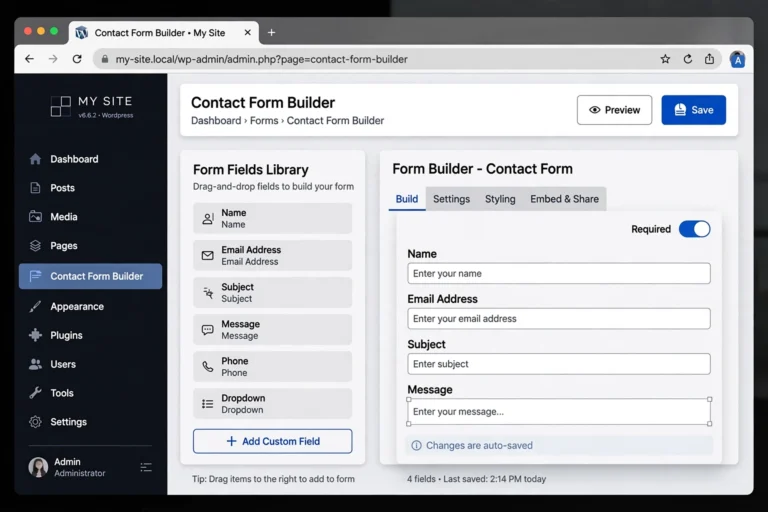
WordPress.com vs WordPress.org — the difference is simple: WordPress.com is a hosted service where the company handles everything for you (with limits on what you can do), while WordPress.org is free, self-hosted software you install on your own web hosting, giving you complete control and ownership. Same name, same editor, totally different deals. Beginners usually start with WordPress.com’s simplicity; serious site owners end up on WordPress.org’s freedom.
This is the single most confusing naming in all of website building, so let us clear it up once and for all: what each one is, how they compare side by side, what each costs, and which one you should actually choose.

The One Key Difference: Who Does the Hosting
Everything flows from this single distinction:
- WordPress.com is a service. A company (Automattic) runs the servers, handles security, updates, and backups. You just sign up and write. In exchange, they set the rules: limited customization on cheap plans, their ads on free plans, and no access to the underlying system.
- WordPress.org is software. You download it free and install it on web hosting you rent yourself. You are the boss: install any theme or plugin, run any ads, edit any code. In exchange, you handle (or your host handles) updates, backups, and security.
Think of it like housing: WordPress.com is renting a managed apartment — maintenance included, but no renovations allowed. WordPress.org is owning your house — total freedom, and the maintenance is yours to arrange.
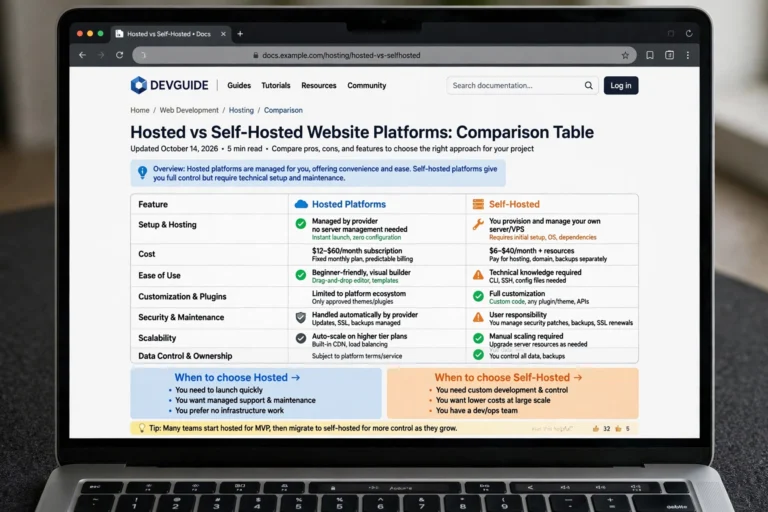
Side-by-Side Comparison
| Feature | WordPress.com | WordPress.org (self-hosted) |
|---|---|---|
| Software cost | Free plans; paid tiers $4–45+/mo | Free forever |
| Hosting | Included (they host it) | You buy it separately ($3–10/mo) |
| Custom domain | Paid plans only | Yes, from day one |
| Themes | Limited selection on lower plans | 10,000+ free and premium themes |
| Plugins | Only on Business plan ($25+/mo) and up | 59,000+ plugins, install anything |
| Ads | WordPress.com shows its ads on free/low plans | Your ads, your revenue, always |
| Monetization | Restricted on lower plans | Complete freedom |
| Custom code | Not allowed (lower plans) | Full access to everything |
| Maintenance | Handled for you | You (or your host) handle updates and backups |
| Ownership | They can suspend your site | You own everything outright |
Pros and Cons of Each
WordPress.com: Pros and Cons
Pros:
- Zero setup — sign up and start writing in minutes
- No technical maintenance: updates, security, and backups handled
- Free plan genuinely exists for trying things out
- Reliable infrastructure run by WordPress experts
Cons:
- Free and cheap plans show WordPress.com ads you do not earn from
- No custom plugins unless you pay $25+/month for the Business plan
- Limited themes and no code access on lower tiers
- Your site can be suspended if you violate their terms — you do not fully own it
WordPress.org: Pros and Cons
Pros:
- 100% free software with zero restrictions
- Install any of 59,000+ plugins and any theme ever made
- Full ownership: your content, your database, your rules
- Monetize however you want — ads, affiliates, memberships, stores
- Usually cheaper than WordPress.com’s equivalent paid tier
Cons:
- You must buy web hosting separately (see What Is Web Hosting? Explained Simply)
- You are responsible for updates, backups, and security (though good hosts automate most of this)
- Slightly steeper learning curve on day one
What Does Each One Actually Cost?
WordPress.com pricing (2026): Free plan ($0, with ads and yoursite.wordpress.com address) → Personal (~$4/mo, custom domain) → Premium (~$8/mo, more design options) → Business (~$25/mo, plugin installs unlocked) → Commerce (~$45/mo, e-commerce features).
WordPress.org pricing: Software $0 + shared hosting ~$3–10/mo + domain ~$12/year. Realistic first-year total: $50–100, which buys you more freedom than WordPress.com’s $300/year Business plan.
The math surprises most beginners: self-hosting is usually cheaper than the WordPress.com plan that unlocks equivalent features. You pay with a little extra setup effort instead of cash.
Which Should You Pick?
Choose WordPress.com if you…
- Want to start a blog for free today with zero setup
- Are testing whether you even enjoy blogging before investing
- Never want to think about updates, backups, or security
- Run a simple personal blog with no monetization plans
Choose WordPress.org if you…
- Want full control over design, features, and monetization
- Are building a business site, serious blog, or online store
- Care about SEO — plugin tools like Rank Math only run on self-hosted WordPress
- Want the cheapest long-term path to a professional site
The most common journey: beginners start on WordPress.com’s free plan, outgrow its limits within months, then migrate to self-hosted WordPress.org. The migration is straightforward — WordPress.com has a built-in exporter — so starting free does not trap you.
How They Relate to Wix and Other Builders
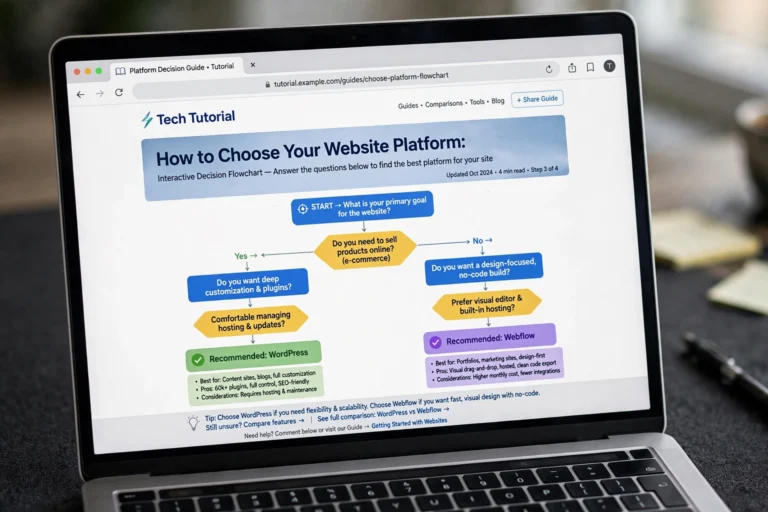
If you are also considering drag-and-drop builders, the landscape looks like this: Wix is the easiest start but the most locked-in; WordPress.com is a middle ground — WordPress-flavored simplicity with an upgrade path; WordPress.org is maximum freedom and ownership. Our WordPress vs Wix for Beginners breakdown compares the builder route against the WordPress route in detail.
FAQ
Are WordPress.com and WordPress.org the same company?
No. WordPress.org is free open-source software maintained by a global community. WordPress.com is a commercial service run by Automattic, a company founded by WordPress’s co-creator. They share the name and the editor, but they are different products.
Can I move from WordPress.com to WordPress.org?
Yes, and it is a well-trodden path. WordPress.com’s exporter packages your posts, pages, images, and comments; you import them into your self-hosted site in minutes. Your web address can stay the same if you point your domain to the new host.
Is WordPress.org really free?
The software is 100% free, forever. Your costs are web hosting (~$3–10/month) and a domain name (~$12/year). There are no license fees, no feature paywalls, and no revenue sharing — ever.
Which one is better for SEO?
WordPress.org. Full access to SEO plugins (Rank Math, Yoast), complete control over site speed, and the ability to edit technical SEO elements give self-hosted sites every advantage. WordPress.com’s lower plans restrict the plugins that make advanced SEO possible.
Can I install plugins on WordPress.com?
Only on the Business plan (~$25/month) and above. On Free, Personal, and Premium plans, you are limited to built-in features. On WordPress.org, you can install any of the 59,000+ free plugins at any time, on any hosting plan.
Conclusion
WordPress.com vs WordPress.org is a choice between convenience and control: WordPress.com handles everything but sets the rules; WordPress.org gives you the keys to everything but asks you to handle the upkeep. Start with WordPress.com if you want the gentlest entry, and move to self-hosted WordPress.org when you are ready to own your site completely — most successful bloggers make exactly that journey.
Keep learning: How to Start a Blog for Free for your zero-cost launch, What Is Web Hosting? Explained Simply before you buy hosting, and Why Is My WordPress Site Slow? to keep your self-hosted site running fast.