How to Cancel Midjourney Subscription (2026)
How to cancel Midjourney subscription plans is simpler than most people expect: you sign in on the Midjourney website, open your subscription settings, and confirm the cancellation in about two minutes. Your plan stays active until the end of the current billing period, your generated images remain in your gallery, and you can resubscribe any time. Here is the exact process, plus what happens to your account afterward.
This guide covers cancellation on the Midjourney website step by step, what to do if you subscribed through Apple or Google, the refund policy, and the questions everyone asks before canceling.
Before You Cancel: What Happens to Your Account
Canceling is not deleting. When you cancel a Midjourney subscription, three things happen: you keep full access until the last day of the billing period you already paid for, automatic renewal stops so you will not be charged again, and your account downgrades to the free tier afterward. Nothing is deleted on the spot.
Your image gallery and archive stay intact. Every image you generated remains viewable and downloadable from your account, even after the subscription lapses — canceling does not wipe your creations. The main thing you lose is the ability to generate new images and use paid features like fast GPU hours once the paid period ends.
How to Cancel Midjourney Subscription on the Website
Most subscribers signed up directly on midjourney.com, and that is also where you cancel. The whole process takes about two minutes:
- Step 1: Go to midjourney.com and sign in with the same account you used to subscribe (Google, Discord, or email sign-in).
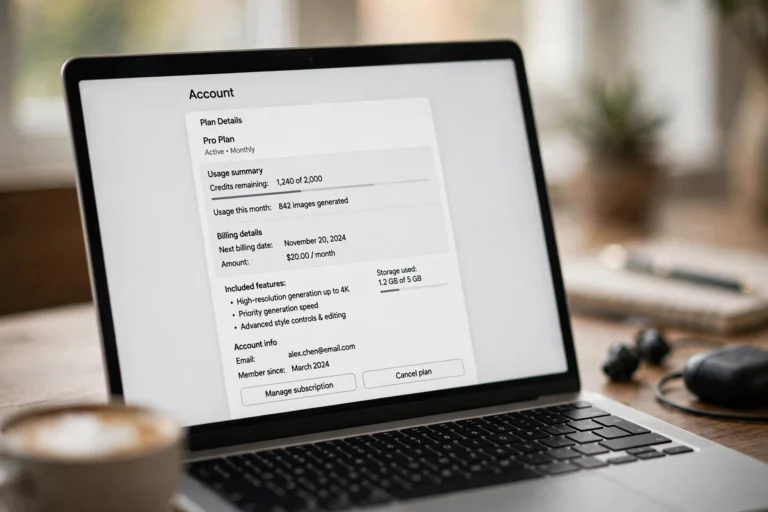
- Step 2: Open your account settings. Click your profile icon and choose Manage Subscription, or visit the billing section of your account page.
- Step 3: Click Cancel Plan. You will see your current plan details, renewal date, and remaining fast hours.
- Step 4: Confirm the cancellation. Midjourney will ask you to confirm — and may show a short exit survey. Confirm, and check that the status changes to show your plan ending on the renewal date rather than renewing.
- Step 5: Save the confirmation. Screenshot the cancellation screen or keep the confirmation email. If a charge ever appears by mistake, this is your proof.
How to Cancel Midjourney Subscription via Apple or Google
If you subscribed through the App Store or Google Play instead of the website, Midjourney cannot cancel it for you — the subscription lives with Apple or Google. Cancel it where you bought it:
- On iPhone or iPad: open Settings, tap your name, tap Subscriptions, select Midjourney, and tap Cancel Subscription.
- On Android: open the Google Play Store, tap your profile icon, go to Payments & subscriptions > Subscriptions, select Midjourney, and tap Cancel subscription.
- Same rules apply: you keep access until the end of the paid period, and your Midjourney gallery is unaffected.
Midjourney Refund Policy: What to Expect
Midjourney’s standard policy is that subscription payments are non-refundable. Canceling stops future charges; it does not refund the current month or year. This applies to both monthly and annual plans — on an annual plan, you keep access for the rest of the year but do not get a prorated refund for unused months.
There are narrow exceptions. If you were charged after canceling, or charged twice, contact Midjourney support with your confirmation screenshot and they will typically fix genuine billing errors. But “I forgot to cancel” or “I did not use my hours” generally does not qualify for a refund, so cancel as soon as you decide rather than waiting.
Alternatives to Canceling: Pause or Downgrade
Midjourney does not offer a formal pause button, so “cancel and come back” is effectively the pause mechanism — your gallery waits for you, and resubscribing takes seconds. If cost is the issue rather than quitting entirely, consider downgrading instead of canceling:
- Drop to the Basic plan. Fewer fast hours, but you keep generating for a fraction of the Standard or Pro price.
- Switch from annual to monthly before canceling. If you are on annual and the renewal is far off, you cannot get that money back — but you can make sure the next cycle is monthly, then cancel the month you stop needing it.
- Use up your fast hours first. Since paid time does not refund, generate the images on your to-do list before the access window closes.
What to Do Before Your Paid Access Ends
Since cancellation does not refund unused time, treat the remaining days as a wind-down checklist. Work through it before the renewal date arrives:
- Download your best images at full resolution. Your gallery stays, but downloading originals now protects you if you ever delete the account later. Prioritize client work and portfolio pieces.
- Save your prompts and settings. Copy the prompts, parameters, and seed values behind your favorite generations into a notes file. If you resubscribe months later, you will be able to recreate the style instantly instead of starting from scratch.
- Upscale anything you might print. Run final upscales on images destined for posters, merch, or large displays while fast hours remain — upscaling eats GPU time you have already paid for.
- Note your renewal date. Put the end date in your calendar. If you plan to resubscribe for a specific project, you will know exactly when access lapses and can time the new subscription to the project’s start.
Troubleshooting: Cancellation Problems
A few issues come up often. If the Cancel button does not appear, you are probably signed in with the wrong account — Midjourney subscriptions are tied to the specific login used at purchase, and many people have both a Discord-linked and a Google-linked account. Sign out and try the other login.
If you see an error during cancellation, try a different browser or an incognito window, which clears the session glitches that sometimes block the billing page. And if a charge appears after you canceled, check the renewal date on your confirmation: charges dated before the cancellation took effect are legitimate, while anything after the end date deserves a support ticket.
FAQs About Canceling Midjourney
Will I lose my generated images if I cancel?
No. Your gallery and all previously generated images remain accessible in your account after cancellation. You can still browse, view, and download them — you just cannot generate new ones until you resubscribe.
Can I resubscribe after canceling?
Yes, any time. Your account, gallery, and settings are preserved, so resubscribing restores your previous plan tier’s features immediately.
Does Midjourney offer refunds?
Generally no — subscription payments are non-refundable, including annual plans. Exceptions are made for genuine billing errors like duplicate charges or charges after a confirmed cancellation.
How do I know the cancellation actually worked?
Your subscription status should show the plan ending on a specific date instead of renewing, and you should receive a confirmation email. Screenshot both as proof.
Conclusion
Knowing how to cancel Midjourney subscription plans removes the anxiety of signing up in the first place: it takes two minutes on the website, your images stay safe, and you keep what you paid for until the period ends. Cancel the moment you decide you are done, download anything you still want during the wind-down, and resubscribe whenever inspiration strikes again.