Is Self Hosting Worth It? The Honest Answer (2026)
Is self hosting worth it? For the right person, absolutely — you get privacy, control, no monthly fees, and genuinely useful services running in your home. For the wrong person, it is a time sink that ends with a dusty mini PC in a closet. The honest answer depends on what you value: your money, your time, your privacy, or your curiosity. Most people value a mix, and this guide will help you figure out where you land.
Below is a no-hype breakdown: what self hosting actually costs, what it demands from you, where it genuinely beats the cloud, and the situations where paying for a service is simply the smarter move.
What Self Hosting Actually Means in 2026
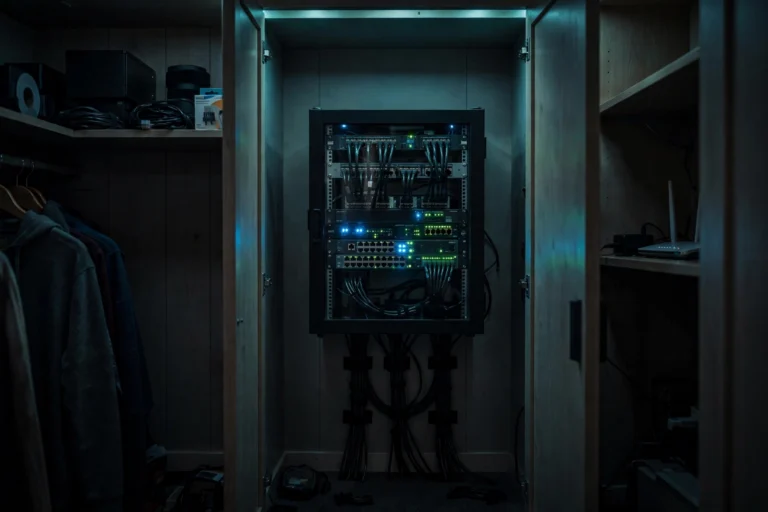
Self hosting means running software on hardware you own instead of renting someone else’s servers. In practice, that is a mini PC, a NAS, or a Raspberry Pi on your home network running services like:
- Media: Plex or Jellyfin (your own Netflix), Navidrome (your own Spotify), Immich (your own Google Photos).
- Files and productivity: Nextcloud (your own Dropbox + Google Docs), Vaultwarden (your own Bitwarden server), Joplin sync.
- Network: Pi-hole (network-wide ad blocking), Tailscale or WireGuard (your own VPN), a personal DNS server.
- Automation: Home Assistant (local smart home control with no cloud dependency).
Thanks to Docker, most of these install with a single command and update with another. The technical bar is lower than it has ever been — but it is not zero.
The Real Cost: Money
Let us do the math honestly, because “free” is not free:
- Hardware: $150-400 for a capable mini PC or used business micro-PC, one time. A Raspberry Pi setup runs $75-120 with accessories.
- Electricity: a 10-watt mini PC costs roughly $1-3 per month to run 24/7 at average US rates.
- Storage: hard drives for media libraries — $50-150 per large drive, as needed.
- Your time: the real cost. Expect 5-15 hours of setup and learning for your first few services, then 1-3 hours a month of maintenance.
Compare that to the cloud: Google One 2TB is around $100/year, a basic VPS is $60-120/year, Plex Pass is a one-time $120 or $5/month. A self hosted setup typically breaks even against equivalent cloud subscriptions in 12-24 months — then it is nearly free for years. But only if you actually use it.
The Real Cost: Time and Attention
Money is the easy part. Time is where self hosting wins or loses:
- Setup is a project, not a purchase. Your first weekend involves installing an OS, learning Docker basics, and troubleshooting something unexpected. That is normal.
- Updates are your job now. Cloud providers patch silently. You will run updates yourself — though tools like Watchtower can automate container updates.
- When it breaks at 11pm, you are the IT department. There is no support ticket. There is you, a forum thread, and a log file.
- Backups are non-negotiable. A cloud service replicates your data across data centers. Your home server needs its own backup plan — an external drive at minimum — or one disk failure erases everything.
Be brutally honest with yourself: if tinkering sounds like a chore rather than a hobby, the time cost will feel ten times heavier than the math suggests.
Is Self Hosting Worth It? Where It Genuinely Wins
Despite the costs, there are things the cloud simply cannot match:
- Privacy. Your photos, files, and viewing habits never leave your house. No scanning, no profiling, no “we updated our terms.” For anyone uncomfortable with big tech holding their life’s data, this alone justifies it.
- No subscription creep. Cloud prices rise, free tiers shrink, features move behind paywalls. Your server’s price was set the day you bought it.
- It works offline. Internet outage? Your movies, files, and smart home keep working on the local network. Cloud services give you a loading spinner.
- Learning. You will accidentally learn Linux, networking, Docker, and DNS — skills that are genuinely valuable and hard to pick up any other way.
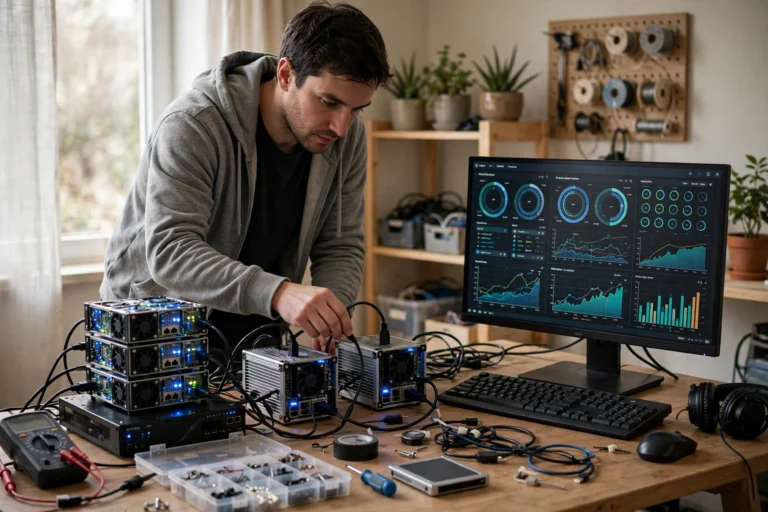
- Fun. This matters more than people admit. There is real satisfaction in a home dashboard showing a dozen services you built yourself.
When Self Hosting Is NOT Worth It
Equally important — here is when to keep paying for the cloud without guilt:
- You need bulletproof reliability. Running a business, hosting client work, or storing the only copy of anything irreplaceable? The cloud’s redundancy beats your closet.
- You travel constantly. Remote access works (Tailscale makes it easy), but troubleshooting a dead server from another country is miserable.
- Your internet upload is slow. Many home connections have 10-40 Mbps upload. Streaming your media library to yourself remotely — or sharing with family — will stutter.
- You hate troubleshooting. If a broken service ruins your evening instead of intriguing you, self hosting will make you unhappy. Pay the $10/month and enjoy your life.
- You only want one simple thing. If all you need is photo backup, Google Photos or iCloud is cheaper in time and money than a whole server project.
Is Self Hosting Worth It? The Decision Framework
Run yourself through these five questions:
- Do you enjoy figuring things out? Yes → strong candidate. No → stop here.
- Do you care where your data lives? If privacy motivates you, self hosting delivers something money cannot buy.
- Will you use at least 3 services regularly? One service rarely justifies the setup; three or more makes the economics and effort clearly worthwhile.
- Can you afford the upfront cost? $200-400 one time. If that stings, start with a Raspberry Pi or a refurbished micro-PC under $150.
- Do you have a weekend to invest? The first setup takes focused time. After that, maintenance is minutes per week.

Three or more yeses? You will probably love it. Mostly nos? The cloud is genuinely the better product for you, and there is no shame in that.
FAQ
How much does it cost to start self hosting?
$150-400 for a mini PC or refurbished micro-PC, plus $1-3/month in electricity. A Raspberry Pi starter setup is $75-120. Most people break even against equivalent cloud subscriptions within 12-24 months.
Is self hosting safe from hackers?
It is as safe as you make it. Keep services behind Tailscale or a VPN instead of exposing them directly to the internet, use strong unique passwords, enable automatic updates, and you eliminate the vast majority of risk. Never port-forward admin panels to the open internet.
Do I need fast internet to self host?
For use inside your home, no — local network speed is what matters. For remote access (watching your movies away from home), upload speed is the bottleneck. Below 20 Mbps upload, remote streaming gets frustrating; above that, it generally works fine.
What is the easiest first thing to self host?
Pi-hole for network-wide ad blocking: you notice it working within minutes and it teaches you Docker basics. Next, Immich for photo backup or Jellyfin for media — both deliver obvious daily value.
Can self hosting replace all my cloud subscriptions?
Most of them: storage, photos, media, passwords, VPN, and ad blocking all have excellent self hosted equivalents. Email is the exception — self hosting email is notoriously painful (spam filters will eat your messages), so keep paying for that one.
Conclusion
So, is self hosting worth it? If you enjoy tinkering, care about privacy, and will actually use several services, it pays for itself in a year or two and keeps paying in independence forever. If you want things to simply work while you live your life, the cloud’s monthly fee is money well spent.
The good news: you do not have to decide everything today. Buy a cheap refurbished mini PC, install Pi-hole this weekend, and see how it feels. Your gut reaction after that first success will tell you everything the math cannot.