How to Sell on Facebook Marketplace for Beginners (2026)
How to sell on Facebook Marketplace for beginners is simpler than most people expect: snap clear photos of your item, write an honest title and description, set a fair price, and post your listing — no seller fees, no website, and your item is visible to nearby buyers in minutes. If you have never sold anything online before, Marketplace is the easiest place to start. This guide covers the exact setup, the listing process step by step, pricing that moves items, and the safety rules that keep every sale smooth.
Why Facebook Marketplace Is Perfect for Beginners
Most selling platforms ask for something upfront: eBay takes fees from every sale, and Etsy expects a polished shop. Marketplace removes nearly all of that friction. There are no listing fees for local sales, no shipping required, and you are already in front of millions of people who open the app every day just to browse.
For beginners, three things matter most:
- Zero cost to start. Posting a listing is free, and you keep 100% of the sale price on local cash sales.
- Local buyers. Most sales happen within 10–20 miles of you, so there is no packing, no shipping, and no waiting days for payment.
- Fast first sale. A fairly priced, well-photographed item often sells within 24–48 hours. That quick win teaches you the system faster than any tutorial.
How to Sell on Facebook Marketplace in 7 Steps
You need a Facebook account in good standing (Marketplace typically requires users to be 18 or older). Once that is ready, the whole process takes about ten minutes per listing:
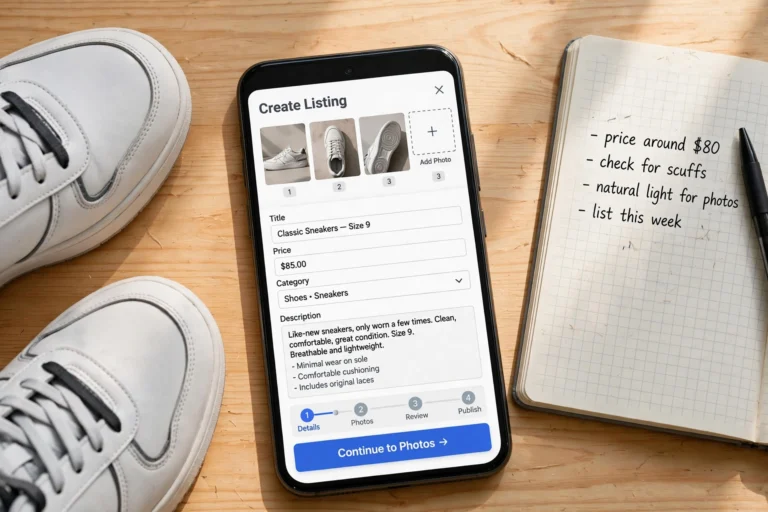
- Open Marketplace and tap “Sell” or “Create Listing.” You will find it at the top of the Marketplace tab in the Facebook app or website.
- Choose “Item for sale.” (Facebook also offers vehicle and property listings — ignore those for now.)
- Add your photos. Upload 4–10 photos: the main shot showing the whole item, then angles, close-ups, and any flaws. The first photo is your thumbnail, so make it the best one.
- Write a clear title. Put the item, brand, and key detail first — “IKEA White Bookshelf, Like New” beats “Bookshelf for sale.” Include size or model when it matters.
- Set the price and category. Choose the right category (furniture, electronics, clothing) so your item shows up in the right searches. You can mark the price as firm or open to offers.
- Add the description and details. Include condition, measurements, reason for selling, and whether the price is negotiable. Honesty here prevents wasted meetups later.
- Publish and respond fast. Reply to messages quickly — the first buyer who shows up usually wins. Serious buyers message within hours of a good listing.
Take Product Photos That Make People Click
Photos do 80% of the selling on Marketplace. Buyers scroll fast, and listings with blurry, dark photos get skipped no matter how good the price is. You do not need a fancy camera — your phone is plenty.
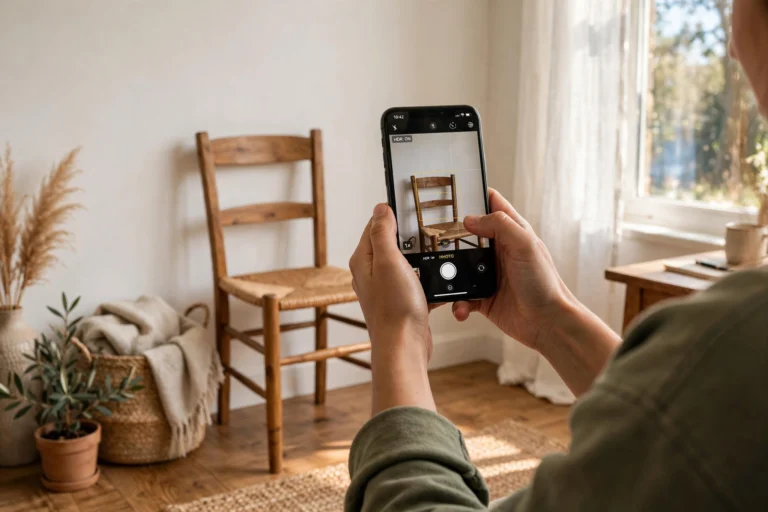
- Shoot in daylight. Take photos near a window or outside. Natural light shows the true color and condition — flash hides details and creates glare.
- Clean the item and the background. Wipe off dust and remove clutter behind the item. A clean shot against a plain wall looks twice as valuable.
- Photograph every angle. Front, back, sides, and close-ups of labels, tags, or model numbers. For electronics, include a photo of it powered on.
- Show the flaws honestly. A close-up of that scratch builds trust and avoids arguments at pickup. Buyers who know exactly what they are getting do not haggle you down.
- Stage small items. For clothes, lay them flat or hang them. For furniture, a quick room setup shot helps buyers imagine it in their space.
Pro tip: Your first photo is your listing’s thumbnail in search results. Make it a straight-on, well-lit shot of the entire item with nothing else in the frame.
Write Listing Titles and Descriptions That Sell
Think like a buyer searching. Nobody searches for “great deal must see!!!” — they search for “wooden coffee table” or “iPhone 12.” Put the searchable words in your title.
A strong title formula: Brand + Item + Key Detail + Condition. “Samsung 55-inch 4K Smart TV — Excellent Condition” is far more searchable than “TV for sale.”
In the description, answer the questions buyers will ask anyway: condition, measurements or model number, why you are selling, whether the price is negotiable, and pickup details.
Description example: “Solid oak dining table — seats 6, measures 72 x 36 inches. Bought in 2021, very sturdy, one small scratch on the edge (pictured). We are moving to a smaller place. Price is firm, pickup evenings or weekends.”
Price Your Items to Sell Fast (Without Leaving Money Behind)
Pricing is where beginners either sell in hours or sit for weeks. The rule of thumb: search Marketplace for your exact item (or the closest match) and price slightly under the average of comparable listings.
- Check sold prices, not asking prices. If three similar sofas are listed at $150 but two have sat for a month, the real market price is lower. Price to be the best value in your area.
- Use the “charm price” trick. $48 sells better than $50 — the psychology works even on used goods.
- Build in haggle room. If you want $80, list at $90–$95 and let buyers feel they won a negotiation. Mark it “or best offer” to invite messages.
- Price bundles aggressively. Selling five baby items as one $40 lot moves faster than five separate $10 listings — and one pickup saves you five meetups.
- Drop the price weekly. No messages in 7 days? Lower the price 10–15%. Stale listings signal to buyers that something is wrong.
Stay Safe: Avoiding Scams on Facebook Marketplace
Marketplace is safe when you follow basic rules, but scammers target beginners who do not know the patterns yet. Learn these before your first sale:
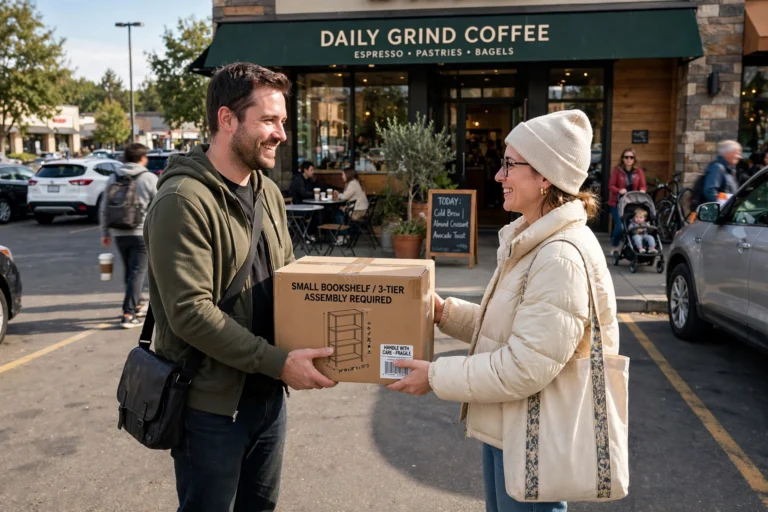
- Meet in public, in daylight. Busy parking lots, coffee shops, or police station “safe trade zones” are ideal. Bring a friend for higher-value items.
- Cash is king. For local sales, cash or instant payment apps you already trust. Never accept a check, money order, or “overpayment” — the classic scam is a fake check for more than the price with a request to refund the difference.
- Never share verification codes. If a “buyer” asks you to send them a code texted to your phone, it is a scam to hijack your account. Real buyers never need this.
- Check buyer profiles. Profiles with no photo, no friends, and an account created this week deserve extra caution. Established local profiles are the safest.
- Do not ship before payment clears. If you ever do ship an item, wait until the payment is fully in your account — not pending, not “processing.”
Golden rule: If a deal feels rushed, too good to be true, or involves complicated payment steps, walk away. There will always be another buyer for a fairly priced item.
What Sells Best on Facebook Marketplace
Not everything moves equally fast. These categories consistently sell the quickest for beginners:
- Furniture: sofas, dining sets, desks, bookshelves — especially affordable, neutral styles.
- Baby and kids’ gear: strollers, cribs, clothes lots. Parents are always hunting for deals as kids outgrow things.
- Electronics: phones, tablets, game consoles, TVs — price them under retail and they go fast.
- Home improvement: tools, lawn equipment, and building materials move surprisingly well.
- Bikes and outdoor gear: seasonal but fast when the weather is right.
Items that sell slowly: used mattresses, old printers, and heavily worn clothing. Used items typically sell for 30–50% of retail — accept it and move on to the next listing.
FAQ
Is it free to sell on Facebook Marketplace?
Yes — listing and selling locally is completely free, and you keep 100% of the sale price. Fees only apply to shipped orders using Facebook’s checkout, which beginners can skip entirely.
How do I get paid on Facebook Marketplace?
For local sales, buyers pay you directly — cash at pickup is the simplest and most common method. Facebook never holds your money for local cash sales.
Why is my listing not getting any views?
Usually one of three things: the price is too high, the first photo is poor, or the category is wrong. Refresh the listing with a better main photo, double-check the category, and consider a 10–15% price drop.
Can I sell on Facebook Marketplace without a Facebook account?
No — you need a Facebook account to buy or sell. Marketplace also generally requires users to be 18 or older, which is partly what keeps the platform safer than anonymous classifieds.
Should I negotiate with buyers?
A little negotiation is normal and expected. Decide your lowest acceptable price before you list, and do not be afraid to say no to lowball offers politely.
Conclusion
How to sell on Facebook Marketplace for beginners really comes down to this: good photos, honest descriptions, fair prices, and safe meetups. Your first sale might take a weekend of effort; your tenth will take fifteen minutes. Start by listing three items you no longer use this week — that first completed sale teaches more than any guide can.
Once selling clicks for you, it pairs naturally with other beginner-friendly income streams. Check out our side hustles for stay-at-home moms for more flexible earning ideas, or how to make printables to sell if you want to try a digital product alongside your local sales.